Section 1.1: Computer Basics
Before we can understand assembly, we must first understand some computer basics.
Computer Basics:
Binary:
- Binary simply means "composed of, or involving two things." In our case, with computers, we are speaking of a data size called bits. Binary in relation to computers, in the most basic sense, represents "on/1", "off/0". When combining multiple bits, we can come up with larger data units that can represent more complex data such as numbers or text.
Data Sizes
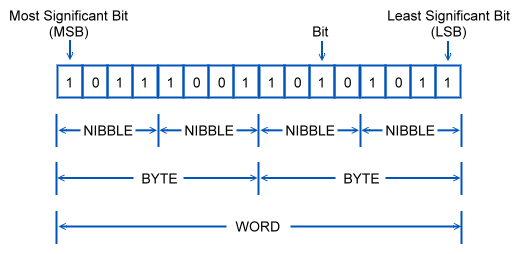
- Bits: Bits are the smallest unit of data a computer can offer. These are represented as a single binary value: 0 or 1. 8 bits equal a byte
- Bytes:
- Bytes are a unit of information storage.
- They are a series of 8 bits. Though it's not as easy as just combining 8 bits together.
- Each bit represents a different number. When a bit in a byte is turned on, the overall numeric representation of the byte changes.
- Bytes are read from far right bit (least significant bit or LSB) to far left bit (most significant bit or MSB).
- Each bit (and all data on computers) are meassured in powers of 2
- These are the values of each bit: 128 | 64 | 32 | 16 | 8 | 4 | 2 | 1 - with 128 being the MSB and 1 being the LSB.
- If all bits are turned on, the largest number we get is 256, giving us 256 unique "patterns" we can create.
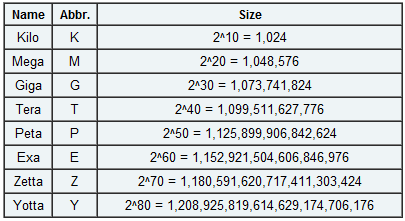
- Bytes can be combined into larger information storage types:
- Kilobytes 2^10 = 1024 bytes
- Megabytes 2^20 = 1,048,576 bytes
- Gigabytes 2^30 = 1,073,741,824 bytes
- Terabytes 2^40 = a huge number...
- and so on...
- Ever notice that a hard drive is smaller than advertised? Well, that's because the folks who create hard drives use 1000 kilobytes in a megabyte. It comes out to quite a difference in larger hard drives.
- We also have a few other data units such as Nibble (4 bits), Word (16 bits) and some others we will be going over later.
Hardware Components
CPU (Central Processing Unit):
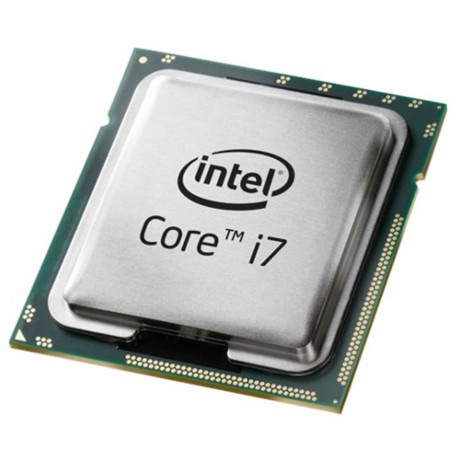
- The CPU is the electronic circuitry within a computer that carries out program instructions by performing basic arithmetic, logical, control and input/output (I/O) operations. In other words, the CPU is what's doing all of the "thinking". This is the primary piece of hardware actted upon by assembly. Things that happen here are happening the fastest. This is also the central point at which we define speed... The further removed hardware is from the CPU, the slower it is handled. When we say registers, we are refering to the CPU.
RAM (Random-Access Memory)
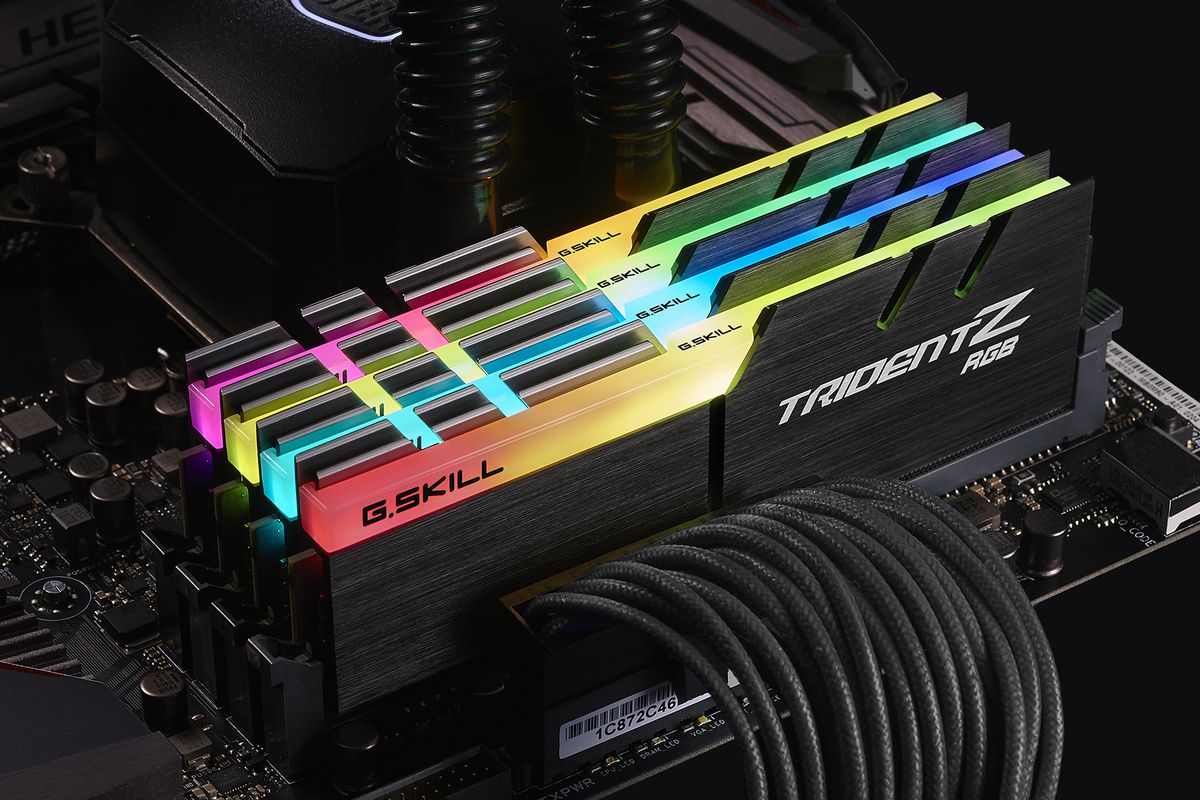
- RAM is a form of computer data storage that stores data and machine code currently being used. This is the secondary piece of hardware assembly acts on. When we say we are accessing memory addresses, we are refering to RAM.
HDD/SDD (Hard Disk Drive/ Solid State Drive)
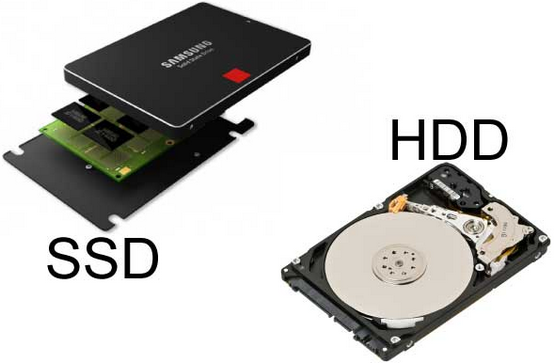
- Disk drives are a data storage device which are non-volatile (meaning they retain stored data even when powered off). Disk drives are one of the components furthest from the CPU. They are much slower than CPU instructions or access to RAM... but they can hold much more data, even when not being used. There are two types of Disk Drives currently, Hard Disk Drives and Solid State Drives. HDDs rely on rotating disks and other additional moving mechanics to store data. Whereas an SSD does not have many moving parts, if any. Due to this, SSDs are faster and less prone to shock damage. Regardless, additional information about either type of disk drive isn't really helpful for this course. When we say file I/O... this is where we are talking about.
CPU Architecture
We won't get too far into this, but there are different CPU architectures that offer different register sizes and such. Some basic ones to keep in mind for now are:
- Intel x86(_64)
- Intel x86
- AMD x86
- AMD x86(_64)
- ARM
- PowerPC
Additional Information
- x86 refers to Intel's processor architecture that was used in PCs. It was a backwards compatible to 16-bit systems and currently supports up to 64 bit standard register sizes via the x64 extension. This is not including SIMD registers (which can be upwards of 512-bit). Don't worry too much about what registers are just yet.
- x86(_64) is an extension for x86 that brought raised the register size from 32bit to 64bit. This was done to combat 32bit x86's processor limitations in memory addressing in an age where everyone else was on 64bit systems only. x86(_64) provides backwards compatibility while utilizing the performance advantage of 64 bit architectures [See Below].
A History of Copying
-
As mentioned above, x86 refers to Intel's processor architectures that was used in PCs (80186, 80386, 80486). In 1982, AMD was contracted by Intel to be a second-source manufacturer of the 8086 and 8088 Intel processors. AMD then went on to develop it's own chip, the Am286. In 1984, Intel decided to no longer cooperate with AMD and refused to convey technical details of the Intel 80386 to AMD. In 1987, AMD invoked arbitration over the issue causing Intel to cancel their 1982 technological-exchange agreement altogether. AMD eventually won arbitration in 1992 causing Intel to dispute which led to a Supreme Court case in California that sided with AMD.
-
In 1990, Intel countersued AMD, forcing AMD to clean-room design versions of Intel code for it's x386 and x486 processors... long after Intel had released its own x386 in 1985. In March 1991, AMD released the Am386 which was a clone of the Intel 386 processor. This eventually led to an agreement between Intel and AMD where AMD received the rights to the microcode in Intel's x386 and x486 processor families, but not the rights to any processors that followed.
-
Fast forward, AMD eventually caught up to Intel, by the 2000's it became clear that 32-bit x86 processors were just not going to cut it in a time where 64 bit processors were coming out. So Intel attempted to create a backwards compatible 64bit/32bit processor, which failed. Then Intel decided to drop 32-bit all together, which failed. Finally, AMD decided to take another path of backwards compatibility that did not suffer the same high costs and performance issues as Intel's first attempt. In 2003, AMD released the first x86 processor with 64-bit general-purpose registers, the Opteron. This brought in additional capabilities such as accessing much more than 4GB of virtual memory using the new x86(_64) extension (also known as AMD64).
-
In July 2004, Intel responded with it's own x86(_64) processor, the Prescott Pentium 4. Which currently brings us to our CPU battles today.
The Future
-
In 2020, Apple began creating it's own CPUs - transitioning to ARM. Apple has had a history of using PowerPC chips and now Intel chips. But it feels the CPU market is moving too slow.
-
In 2019, Apple dropped 32 bit support on it's operating systems.
How does this apply to us?
- As we will discuss, different CPU Architectures have their own quirks and features. There are also different syntaxes for these architectures. Most importantly - we need to understand the different sizes of general purpose registers in relation to the CPU Architecture. 64 bit CPUs for instance - have more and larger general purpose registers (cf. RAX). By contrast, a 32 (cf. EAX) or 16 bit OS will only have registers up to that size. This will dictate the instructions we use and how we access different types of data.